


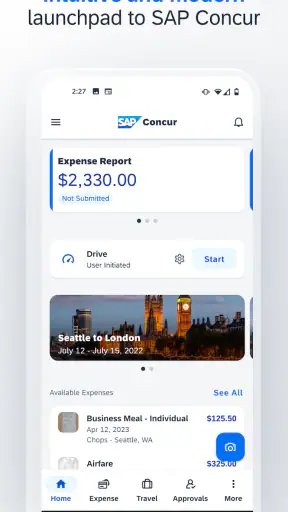
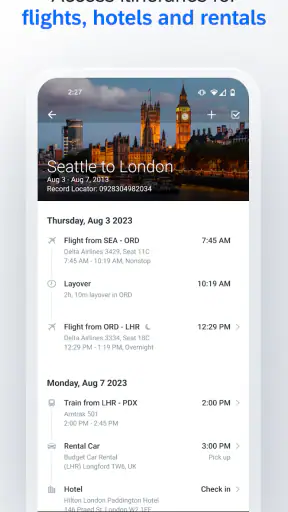
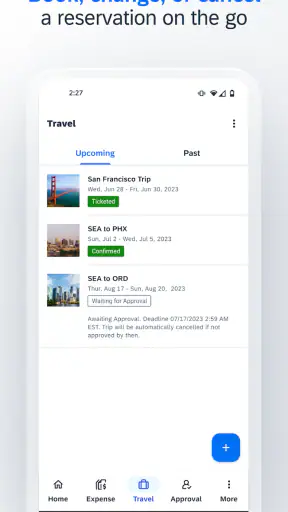
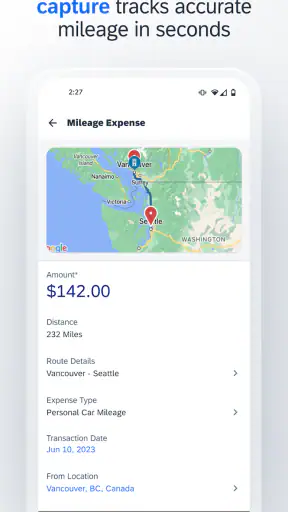
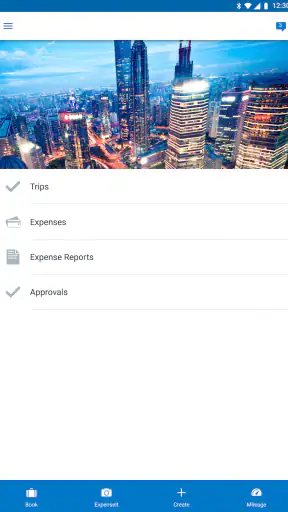
Managing business travel from a phone sounds simple until a flight receipt, hotel invoice, and mileage claim all end up in different places. I found SAP Concur most useful when I treated it as a central workspace for travel and expense tasks rather than as a general-purpose finance app. It is a free Business app from SAP SE, rated for Everyone, and its strong reception—an average of 4.6 from around 121 thousand ratings—suggests that many users find it dependable for this particular job.
My first impression was that this is built for people who already work within an organization’s Concur setup. It is not trying to be a personal budgeting tool or a replacement for a bank app. The focus is practical: checking travel details, handling expense information while away from a desk, and keeping work-related paperwork moving. That distinction matters more than the attractive download count of over 5 million installs, because the right question is not whether it is popular, but whether your employer uses the surrounding SAP Concur system.
How I Decided Whether SAP Concur Was the Right Fit
I would judge this app using four criteria. First, does it reduce the time between spending money and recording the expense? Second, does it help when travel changes unexpectedly? Third, does it fit an existing company approval process? Finally, is the mobile experience convenient enough that I will actually use it immediately after a purchase?
On the first point, the app makes sense for frequent travelers who do not want a wallet full of receipts waiting for the end of the month. Entering an expense soon after a meal or taxi ride is easier than reconstructing a trip later. The benefit is not only speed. Fresh memory usually means better descriptions, more accurate business purposes, and fewer forgotten details.
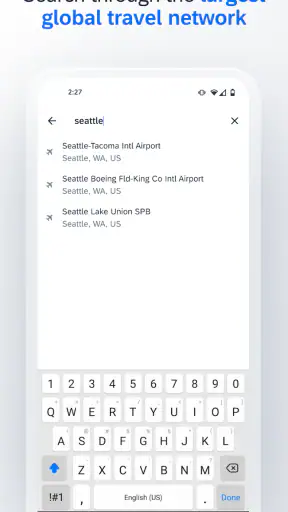
The second criterion is more situational. A travel-and-expense app is valuable when I am away from my computer, but its usefulness depends on how my company has configured Concur. Some people will mainly use it for expenses, while others will also rely on it for travel-related tasks. I would not assume that every organization exposes exactly the same options or approval steps in the mobile experience.
That company connection is the most important decision point. SAP Concur is not the kind of app I would install casually to track personal holiday spending. It becomes relevant when an employer, client, or finance team has already chosen it as part of its workflow. If that is your situation, the app can put an otherwise desktop-heavy process within reach while you are traveling.
The everyday workflow that makes the app worthwhile
Imagine I am attending a two-day work event. After breakfast, I keep the receipt and record the expense while the details are still clear. Later, I pay for a taxi and repeat the process instead of placing the receipt in a pocket and hoping it survives the trip. At the hotel, I can deal with the lodging paperwork while checking out rather than waiting until I return to the office.
This small habit is where the app earns its place. It turns expense reporting into several short actions instead of one unpleasant administrative session. The improvement is especially noticeable for people who travel often, handle many small purchases, or need to submit expenses promptly after a trip.
I also like the idea of separating business spending from personal finance. A normal notes app or spreadsheet can record an amount, but it does not naturally belong to an approval process. SAP Concur is more appropriate when the expense must eventually be reviewed by someone else inside a business.
Where it is stronger than simpler alternatives
The usual alternatives fall into three broad groups: paper receipts, spreadsheets, and general expense trackers. Paper is familiar but easy to lose. A spreadsheet offers flexibility, yet it asks me to design and maintain the process myself. A personal finance app may be polished, but it is usually aimed at household spending rather than company reimbursement.
SAP Concur wins when the expense is part of a larger organizational routine. Its value is not merely that I can type in a number on a phone. The important advantage is having a mobile entry point for work expenses and travel activity that can connect with the way a company already handles those items.
That makes it particularly suitable for employees who are frequently away from their desks, consultants moving between client sites, sales teams attending meetings, and managers who need to review or keep track of business-related activity while traveling. It is also useful for anyone who tends to postpone expense reports until the details become difficult to remember.
A less obvious strength is behavioral rather than technical: the app can make compliance easier by moving the task closer to the moment of purchase. When a process is available in the same place where I carry my phone, I am less likely to create a backlog. That can be more valuable than an elaborate feature set I rarely open.
Receipt habits that prevent problems later
My practical advice is to create a simple routine before the first trip. Keep receipts until the expense is visibly recorded, add a meaningful description while the context is fresh, and check the entry before moving on. A vague note such as “client meal” may be less useful later than a concise explanation of who or what the expense was connected to.
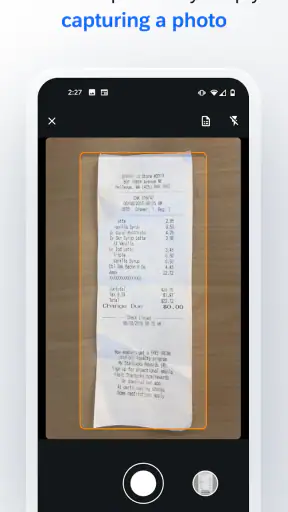
I would also avoid treating a photograph of a receipt as the end of the task. Capturing the paper is only one part of a clean report. The amount, date, category, and business reason still deserve a quick review. This is one of the main trade-offs of mobile convenience: it reduces delay, but it does not remove the need for careful checking.
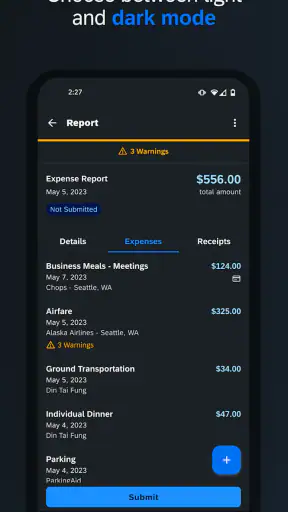
Frequent travelers should consider reviewing entries at the end of each day rather than waiting for the trip to finish. That short review can reveal a missing receipt, a duplicate entry, or an expense that needs clarification. It is a better use of a few minutes than trying to remember every transaction after returning home.
Where Other Options May Fit Better
I would not recommend SAP Concur to everyone who wants to track spending. Someone managing household bills, personal subscriptions, or a holiday budget will probably find a personal finance app more natural. Those tools are designed around individual money management, while this app is aimed at business travel and reimbursement workflows.
A small business with very few employees may also prefer a lightweight spreadsheet or a simpler expense tool. If one person approves everything and travel is rare, setting up a formal platform may feel like more administration than it saves. In that case, the flexibility of a spreadsheet can outweigh the structure of a specialized business system.
There is another important limitation: the mobile app is only as useful as the organization behind it. If your employer has not adopted SAP Concur or has configured it in a restricted way, installing the app will not magically create a complete expense process. I would confirm the company’s workflow before asking colleagues to switch, because the mobile experience is part of a broader arrangement rather than a standalone solution.
Users who want a highly customizable personal finance dashboard may also feel constrained. The app’s purpose is narrower, and that focus is both its strength and its boundary. I would choose it for business travel administration, not for analyzing my entire financial life.
What the mobile format does and does not solve
Using a phone is convenient, but a smaller screen can make detailed review less comfortable than working at a computer. I found the mobile format best for immediate capture, quick checks, and travel-related actions. For a long report with many entries, I would still prefer a larger screen if the company workflow allows it.
That does not make the app weak. It simply suggests a sensible division of labor: use the phone to prevent information from being lost, then use the broader company process for deeper review when needed. Expecting the mobile app to replace every desktop interaction may lead to disappointment.
Another point is consistency. Business expenses often involve rules that vary by organization, department, or trip. The app can support the process, but I still need to understand my employer’s expectations around receipts, descriptions, approvals, and timing. No mobile interface can compensate for unclear internal policy.
Questions I would settle before changing tools
Before moving from a spreadsheet or another expense app, I would ask who owns the account setup, which travel and expense tasks employees are expected to complete on mobile, and whether managers review submissions in the same system. These questions determine whether the change will simplify work or merely add another place to sign in.
I would also check how existing records will be handled. The real cost of switching is not just downloading a free app. It includes learning the organization’s categories, changing habits, explaining the process to colleagues, and deciding what happens to unfinished reports. A gradual transition is usually less disruptive than abandoning the old method overnight.
For a team, I would start with a small group of regular travelers. Their feedback can reveal whether the app reduces late submissions, whether receipt capture is practical during real trips, and where employees become confused. This is more useful than judging the product after a single test entry at a desk.
It is also worth distinguishing between a technical problem and a policy problem. If an expense cannot be submitted, the cause may be an account configuration or an internal rule rather than the phone interface itself. Knowing who to contact before a trip can prevent a minor issue from becoming a reimbursement delay.
What the current release means for compatibility
The current version is 10.34.2, and the app supports devices running iOS or Android version 9 and later. That makes it accessible to many older devices, although I would still keep the operating system and app updated when possible. Travel apps are most useful when they are ready before departure, not when I am standing at an airport trying to resolve an avoidable compatibility issue.
The app has been available since June 4, 2010, which gives it a long history in a category where companies often value continuity. I would not treat age alone as proof that every workflow will feel modern, but it does help explain why the product is familiar to many business users and why organizational processes may already be built around it.
Because it is free to download and carries an Everyone age rating, the barrier to trying the mobile component is low. The more serious question is not the download cost; it is whether the app matches the business account and habits I need to use it with.
My Recommendation After Weighing the Trade-Offs
I recommend SAP Concur to employees whose organizations already use it for travel and expenses, especially people who travel often or regularly delay their reports. Its biggest advantage is practical: it places business administration close to the moment when spending occurs. Used consistently, that can reduce forgotten receipts and make the end-of-trip cleanup less painful.
I would recommend a different type of tool for personal budgeting, occasional private travel, or a very small operation that does not need a structured approval workflow. In those cases, a simpler alternative may be faster to understand and easier to adapt.
My strongest advice is to test the complete routine rather than judging the app from one screen. Record a real work expense, attach the relevant information, review the entry, and follow it through the company’s normal process. That experiment will tell you more than the store summary because it exposes the handoff between your phone and the organization.
For me, the app works best as a disciplined capture tool: record promptly, add context, retain the original receipt until the entry is safe, and review the day before details fade. It is not a magic shortcut, and it cannot replace clear company rules. But when the surrounding setup is already in place, SAP Concur makes a tedious part of business travel easier to keep under control.
Overall, I see it as a focused business companion rather than an all-purpose money app. Its strong rating of 4.6 and more than 5 million installs show broad adoption, while the real reason to choose it is narrower and more convincing: it can turn scattered travel paperwork into a routine that I can manage while I am still on the road.


